
Microsoft Power Automate Consulting & Automation Services
Automate repetitive business processes, approvals, notifications and workflows with Microsoft Power Automate — integrated with Microsoft 365, SharePoint, Teams, Power Apps, Dataverse and your existing business systems.
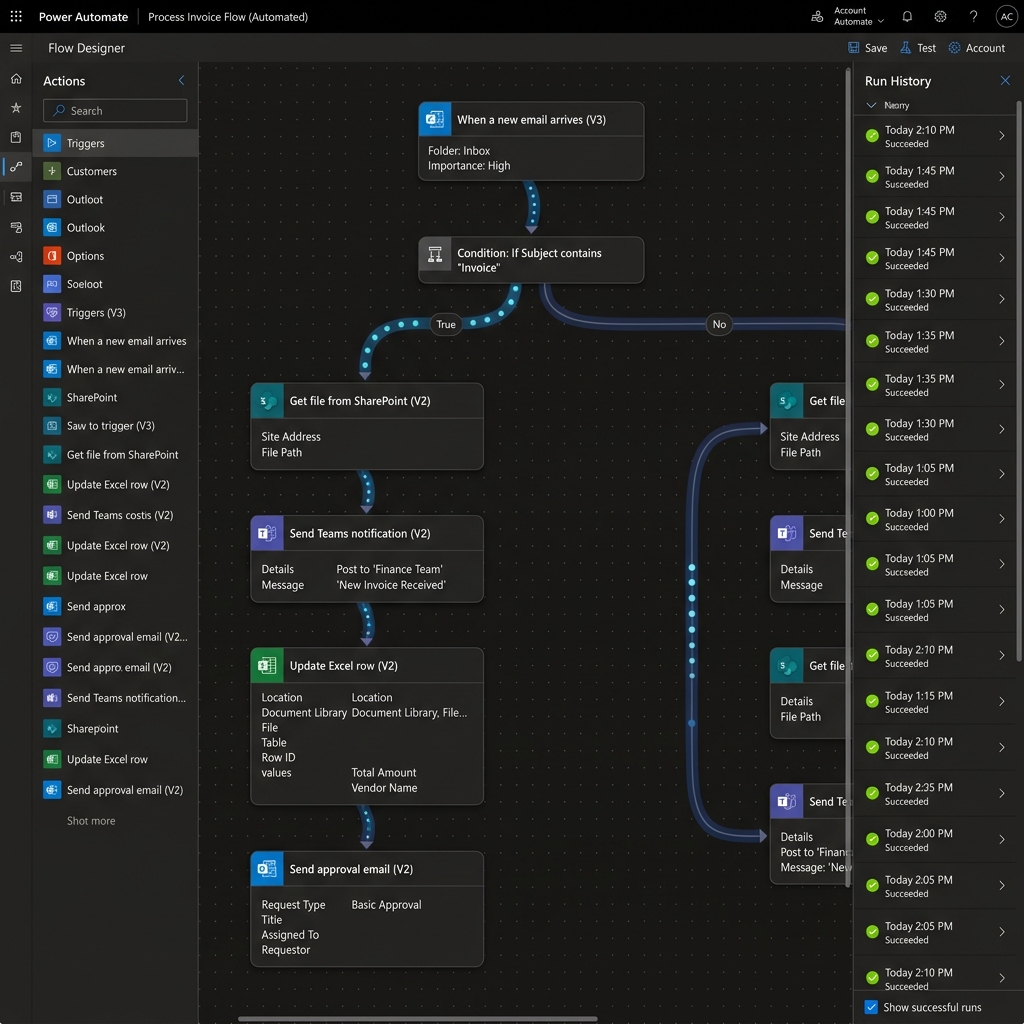
 Product Walkthrough
What Business Processes Can We Automate?
We help enterprises eliminate manual bottlenecks, streamline approvals, and connect siloed systems.
"Managers miss approval requests buried across email threads."
Teams & Outlook 1-Click ApprovalsAutomate multi-tier approval routing, automatic reminders, and escalation timeouts in Teams.
"Invoices and contracts require manual data entry and file filing."
SharePoint + AI Builder OCRExtract invoice totals, tag metadata, and route documents to the correct repository automatically.
"Onboarding new hires requires dozens of repetitive manual IT & HR tasks."
Cross-App Onboarding PipelineAutomatically provision accounts, assign Microsoft 365 licenses, create Teams chats, and trigger welcome emails.
"Critical system exceptions and customer updates are delayed."
Real-Time Event TriggersDeliver instant, actionable notifications into Microsoft Teams channels and mobile push notifications.
"Our customer and operational data is siloed across separate tools."
1,000+ Connectors & REST APIsSynchronize data between SharePoint, Dataverse, SQL databases, ERPs, CRM systems, and custom APIs.
"Teams spend hours copying data between spreadsheets and legacy apps."
Governed Power Automate FlowsReplace repetitive manual workflows with reliable, audited digital flows that run 24/7.
Microsoft Power Automate Solutions
End-to-end automation engineering from cloud triggers to desktop robotic process automation (RPA).
Cloud Flows
Event-Driven & Scheduled
Automate cloud processes triggered by emails, file uploads, database changes, or automated timers.
Desktop Flows (RPA)
Legacy UI Automation
Automate repetitive clicks and keystrokes on legacy Windows software that lack modern APIs.
Approval Workflows
Teams Adaptive Cards
Multi-stage approval hierarchies with automatic re-routing, reminders, and mobile sign-offs.
SharePoint Automation
Content & Metadata Routing
Automate document review cycles, retention tagging, metadata sync, and intranet publishing.
Teams Automation
Collaborative Bots & Cards
Embed workflow triggers directly into Teams channels, incident response bots, and direct messages.
Dataverse Automation
Relational Data Processing
Execute complex transactional workflows, rollups, and data validation across Dataverse tables.
API & System Integration
Custom REST Connectors
Connect Microsoft 365 bi-directionally with SAP, Salesforce, Oracle, Jira, and custom backend APIs.
AI-Powered Automation
AI Builder & Document AI
Leverage optical character recognition (OCR), form processing, and sentiment analysis inside your flows.
Connected Architecture
Power Automate Across the Microsoft Ecosystem
Power Automate acts as the central nervous system connecting applications, data, and business processes across Microsoft 365 and external systems.
Enterprise Power Automate Governance
Automation should be scalable, secure, and governed. We establish rigorous operational guardrails to prevent flow sprawl and data leakage.
DLP & Tenant Boundaries
Enforce strict Data Loss Prevention policies that prevent unauthorized data sharing between enterprise and non-business connectors.
Service Principal Authentication
Transition critical production flows from fragile personal user accounts to governed Microsoft Entra ID service principals.
Error Telemetry & ALM
Automate multi-tier environment deployments (Dev, Test, Prod) with structured exception handling and real-time failure alerts.
Ready to Automate Your Business Processes?
Let's identify your manual bottlenecks, architect scalable Power Automate workflows, and build governed automation pipelines that drive tangible business efficiency.
Intelligent Automated Approval & Document Pipeline
Visual Cloud Flow Designer
01Drag-and-drop cloud flow canvas with 1,000+ prebuilt enterprise connectors.
Multi-Stage Approval Workflows
02AI Document & OCR Ingestion
03Automated System Connectors
04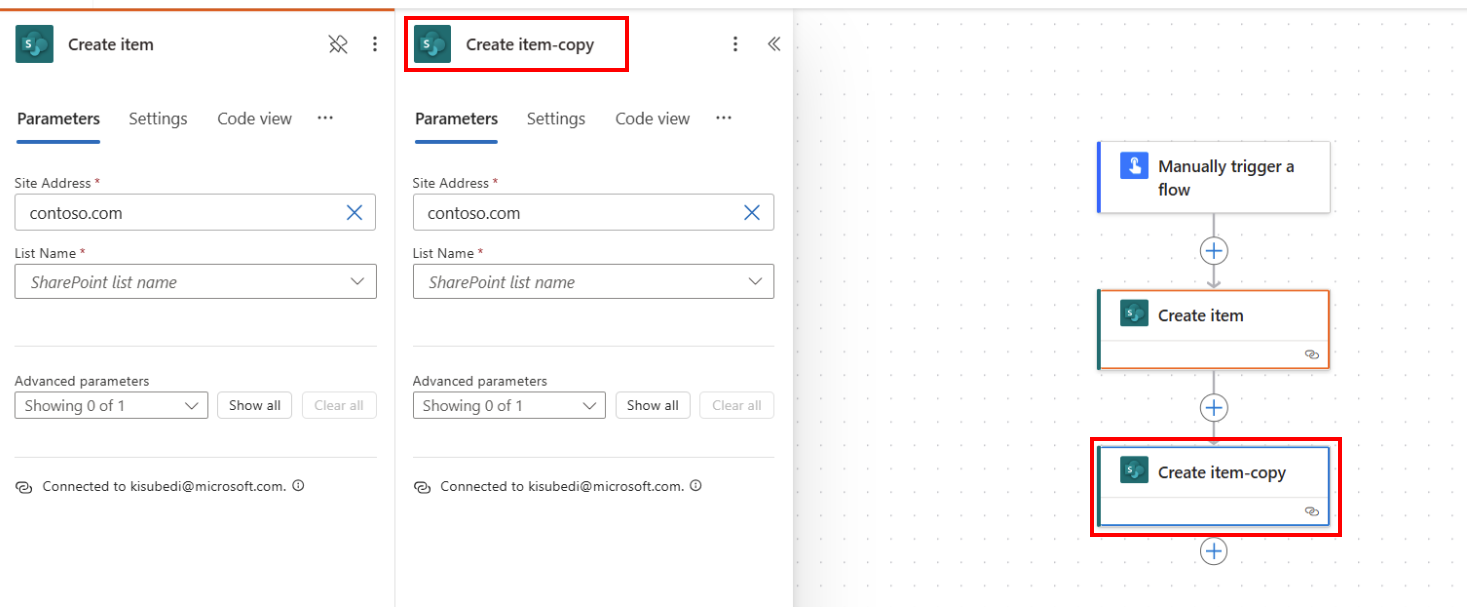
Traditional Workplace vs. Empathy AI-Enabled Microsoft Workplace
See how our Microsoft 365 & Copilot integration transforms manual daily bottlenecks into enterprise speed.
| Workplace Capability | Without AI Integration |  With Empathy Technologies |
|---|---|---|
| Information Retrieval & Discovery | Employees spend 15 to 30 mins searching across scattered folders, emails, and legacy network shares | Structured SharePoint information architecture with Microsoft Search and Copilot enables instant discovery of governed content |
| Document Governance & Permissions | Manual folder permissions, duplicate files, unmanaged storage sprawl, and broken inheritance | Automated Microsoft Purview sensitivity labels, retention policies, and Entra ID Zero-Trust access controls |
| Workflow & Request Approvals | Manual approval workflows create multi-day email delays, lost requests, and untracked sign-offs | SharePoint + Power Automate + Teams streamline approvals with 1-click mobile sign-offs and Dataverse audit trails |
| Copilot & Enterprise AI Grounding | Unindexed SharePoint repositories, oversharing security risks, and ungoverned AI usage | Grounded AI responses with source citations, Microsoft Graph semantic indexing, and enterprise access controls |
Our Power Automate Consulting & Implementation Process
A structured, end-to-end framework to assess manual bottlenecks, architect scalable cloud and desktop flows, integrate enterprise systems, and enforce governance.
Process Discovery
Identify manual tasks, approval bottlenecks, data inputs, and high-ROI automation opportunities.
Workflow Architecture
Design triggers, conditional logic, multi-stage approvals, integrations, and exception handling.
Automation Development
Build and test cloud flows, desktop RPA bots, and Adaptive Cards with error handling.
Integration & AI
Connect Microsoft 365, SharePoint, Dataverse, custom REST APIs, and AI Builder models.
Governance & Optimization
Enforce DLP security policies, service principal connections, run telemetry, and ongoing tuning.
Power Automate Automation Assessment
Find your automation opportunities and calculate your Automation Opportunity Score across workflows, approvals, and integrations.
Got Questions? We Have Answers.
Everything you need to know about our Microsoft 365, Copilot & AI implementation services.
What is Microsoft Power Automate consulting?
Power Automate consulting helps organizations discover automation opportunities, design robust workflow architectures, build cloud and desktop RPA flows, integrate enterprise systems, and establish security governance.
What is the difference between Cloud Flows and Desktop Flows (RPA)?
Cloud Flows automate tasks using API connectors between modern cloud applications (e.g., SharePoint, Teams, Salesforce), while Desktop Flows (RPA) record and automate mouse clicks and keyboard actions on legacy on-premises software without APIs.
How do automated approval flows work inside Microsoft Teams?
Approvals send interactive Adaptive Cards directly into the approver's Teams chat or Outlook inbox. Managers can view request details, add comments, and approve or reject with one click without opening external systems.
Can Power Automate process invoices and receipts automatically?
Yes. Using AI Builder form processing models, Power Automate extracts vendor names, dates, line items, and totals from PDF invoices, verifies the data, and writes the results directly into ERPs or Dataverse.
How do you secure Power Automate and prevent unauthorized data sharing?
We implement Data Loss Prevention (DLP) policies to restrict which connectors can share data, configure service principal connections instead of personal user accounts, and enforce environment isolation (Dev, Test, Prod).
How does Empathy handle flow execution errors and monitoring?
We build standardized Try-Catch-Finally exception handling blocks into every production flow. If a step fails, the system automatically logs the telemetry and alerts administrators via Teams with exact diagnostic details.
Can Power Automate connect with third-party software like SAP, Salesforce, or Oracle?
Yes. Microsoft Power Automate includes over 1,000+ pre-built enterprise connectors. For proprietary or on-premises systems, we build custom REST API connectors and deploy On-Premises Data Gateways.